The Fichea journey
Fichea: study with your course
Is your course in a PDF or on paper? Turn it into a clear sheet, then check what you remember with questions.
By Fichea.
·
Go from your course materials to active studying
A dense chapter, photographed pages, notes to put back in order: Fichea brings preparation and review together in one space. You start from your course to find the key concepts in a sheet, then move on to questions to spot what deserves more work.
Import a PDF, paste your text or add a photo of your course, depending on your plan. Fichea prepares a structured sheet to reread, then corrected multiple-choice quizzes to test what you’ve understood. A concept still unclear? Ask your question in the chat linked to the course. You can then go over the key points with flashcards.
Your course stays the starting point: you work on the concepts and vocabulary of your materials. Chat answers cite the passages used. Web search is an option you can turn on if you want a supplement; anything from outside the course is flagged separately. Keep your document handy to check the explanations.
How to use Fichea with your course
- 1. Bring your material. Choose a PDF course, paste a text or add a readable photo, depending on your plan. Use material you have the right to import. Start with a short, coherent part, such as one concept or one chapter.
- 2. Find the essentials in your sheet. Reread the definitions, formulas and examples, comparing them with the course. You get an organized resource to start your studying.
- 3. Test yourself with a multiple-choice quiz. Answer before reading the correction to spot the concepts to work on again.
- 4. Unblock what you didn’t understand. Ask a question in the chat linked to the course, find the cited passages and go back to the exercise. Then use flashcards to review the key concepts.
From course to quiz: an example on percentages
To show the journey, we wrote a short original course on percentages. We imported it into Fichea, generated a sheet, then a four-question quiz. The materials below show the result of this Fichea demo.
Your turn
A price of €100 goes up 20%, then drops 20%. What is the final price? Take a moment to work it out before opening the answer.
See the answer and understand the trap
After the increase: 100 × 1.20 = €120. The decrease applies to this new value: 120 × 0.80 = €96. The overall change is therefore −4%. Adding the two rates would overlook that their base has changed.
Another check: to cancel out a 25% increase, you need a 20% decrease, because 1.25 × 0.80 = 1.
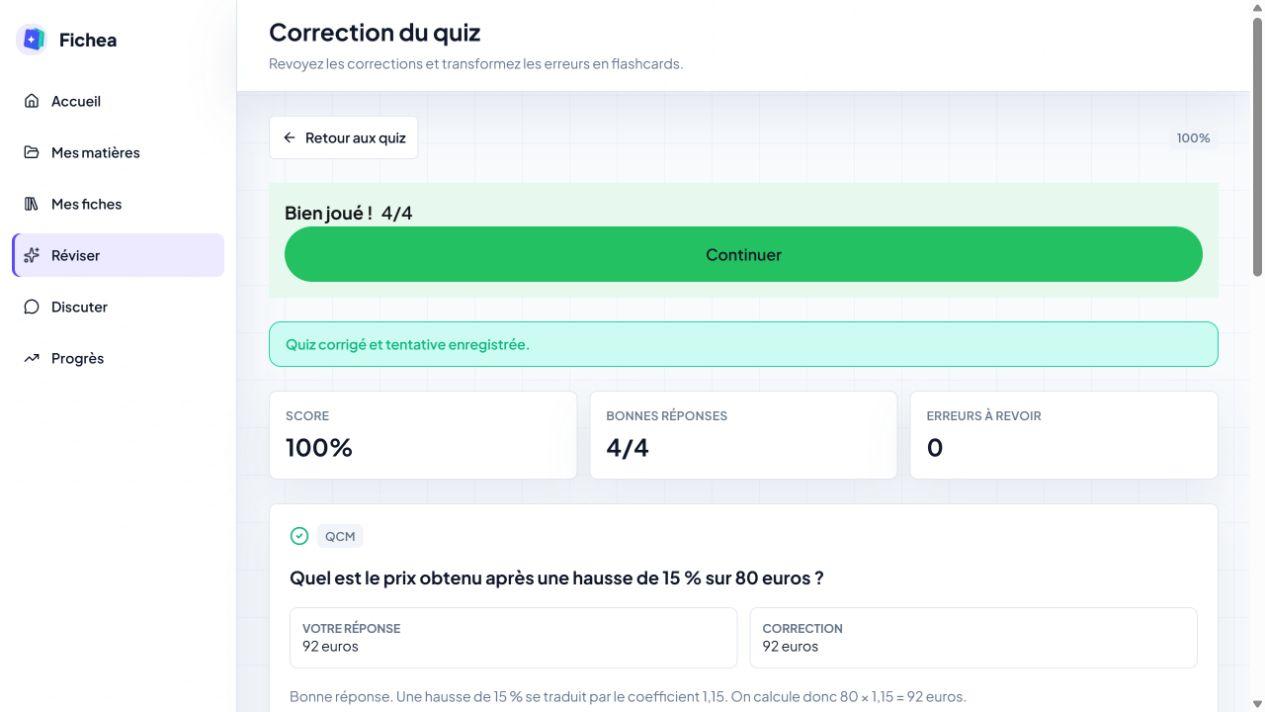

You can open the course, compare the sheet to the PDF and redo the calculations, even without a Fichea account. These materials show the journey on a short chapter, from the starting document to practice.
Keep your course as your reference
Fichea helps you prepare your materials and practice on the concepts you’re studying. Like any AI-generated content, a sheet or an answer may contain an error: check the formulas, units and conditions of application against your course. A question in the chat can help you go back over a difficult passage.
Try it on a course you already know
A free plan lets you discover Fichea. Current features, quotas and plans are detailed on the pricing page. For a first try, choose a short course whose result you can easily check.
Create my first sheetNeed to prepare your material before starting? See our guide to making a study sheet or discover Fichea’s tools.